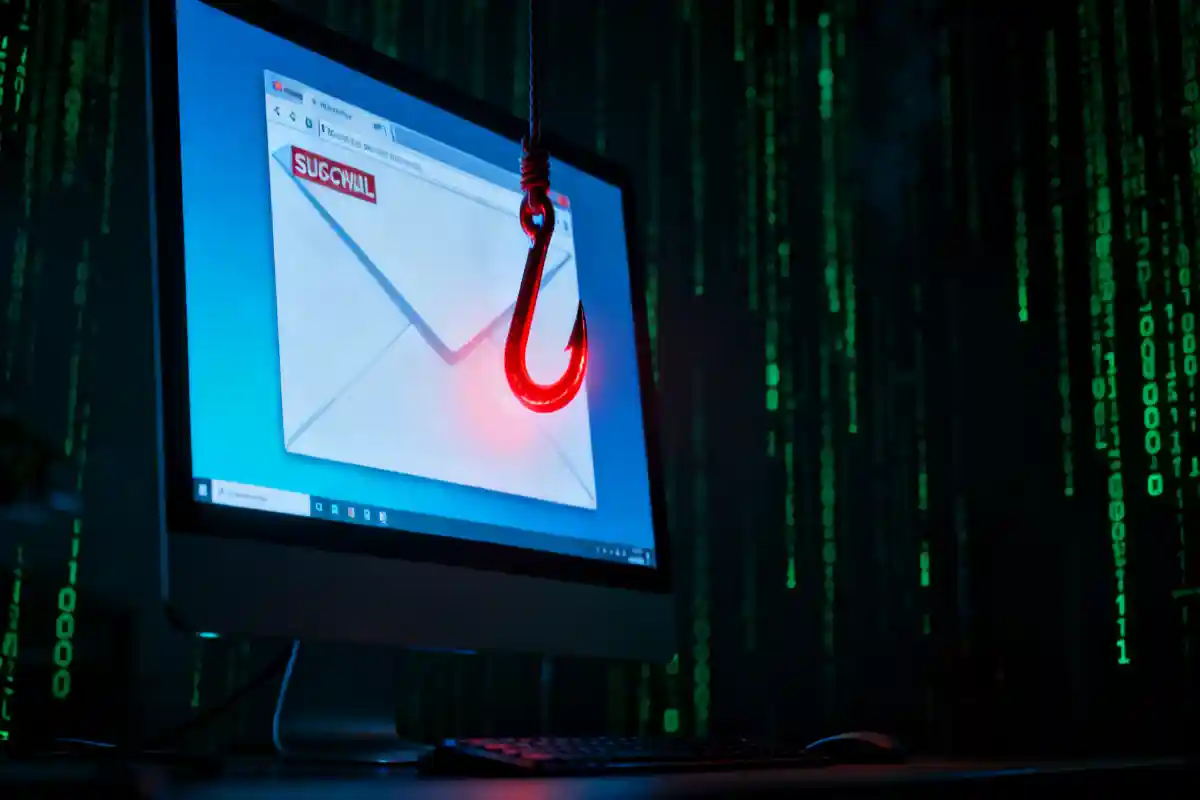
Phishing is a major cybersecurity threat. Cybercriminals use this tactic every single day. They want to steal your personal information. Furthermore, they want your financial data. They also want access to your business networks. You must understand how these attacks work. Education is your very best defense. Therefore, we will explain everything in this detailed guide. You will learn how to spot these scams. Moreover, you will learn exactly how to stop them.
The digital landscape is increasingly dangerous. Hackers are becoming much smarter. They constantly invent new ways to trick people. Consequently, you must stay alert. A single wrong click can cause massive damage. It can lead to severe identity theft. It can also cause immense financial loss. However, you do not need to be afraid. You just need to be prepared. This article provides the ultimate blueprint for your safety.
What Exactly is a Phishing Scam?
Phishing is a specific type of cyber attack. It relies heavily on social engineering. Attackers try to manipulate your human emotions. They do not usually hack your computer directly. Instead, they trick you into making a mistake. They masquerade as a trusted person or organization. For example, they might pretend to be your bank. They might also pretend to be your boss.
The goal is always to steal sensitive data. They want your usernames and passwords. They desperately want your credit card numbers. They also seek out your social security number. Once they have this data, they exploit it. They might steal money directly from your accounts. Alternatively, they might sell your information on the dark web. Therefore, understanding their methods is crucial.
The Complete History of Phishing Attacks
Phishing is not a new concept. It has actually existed for decades. The first attacks happened in the mid-1990s. Hackers targeted users of America Online. They stole passwords and credit card details. They used automated tools to message thousands of people. The term "phishing" was coined during this era. The "ph" replaces the "f" as a nod to early hackers. These early hackers were known as "phreaks."
By the early 2000s, phishing evolved significantly. Attackers started targeting digital payment systems. They also targeted online banking portals. Furthermore, they began creating fake websites. These websites looked exactly like the real ones. Consequently, many innocent people were fooled. The attacks became much more sophisticated.
Today, phishing is a massive global industry. Cybercriminal syndicates run highly organized operations. They use advanced technology to scale their attacks. Moreover, they constantly refine their deceptive tactics. The threat is bigger than ever before. Therefore, we must remain vigilant.
The Eight Main Types of Phishing Scams
Phishing is a broad category of cybercrime. There are many different variations of this attack. Hackers use different channels to reach their victims. You must know about all of them. Here is a detailed breakdown of each type.
1. Traditional Email Phishing
This is the most common form of phishing. Attackers send out millions of generic emails. They cast a very wide net. They hope that a few people will take the bait. These emails often impersonate well-known brands. They might claim your account is locked. They might also claim you have a package waiting. The email will contain a malicious link. If you click it, you are in danger. You will be taken to a fake login page. Therefore, you should always check the sender address carefully.
2. Spear Phishing Attacks
Spear phishing is highly targeted. It is much more dangerous than generic phishing. The attacker focuses on a specific individual. They also target specific organizations. Before attacking, they gather detailed intelligence. They check your social media profiles. They find out where you work. They learn about your job role.
Consequently, the phishing email looks highly authentic. It will address you by your real name. It will reference actual projects or colleagues. The attacker uses this familiarity to build trust. Therefore, these attacks have a high success rate. They are very difficult to detect.
3. Whaling Attacks
Whaling is a specific subset of spear phishing. However, it targets high-profile individuals. These individuals are the "whales." They include Chief Executive Officers and Chief Financial Officers. These targets have access to highly sensitive data. They also have authority to approve wire transfers.
The attacker will try to trick the executive. They might send an email pretending to be legal counsel. They might demand an urgent wire transfer. If the executive complies, the company loses millions. Therefore, executive training is absolutely vital.
4. Smishing Scams
Smishing stands for SMS phishing. This attack happens over text messages. Hackers send fake text messages to your phone. These messages often create a sense of urgency. They might pretend to be a delivery service. They might also pretend to be your bank.
The text will include a shortened link. The message will urge you to click the link immediately. If you click, malware might be downloaded. Alternatively, you might be sent to a fake website. People trust text messages more than emails. Therefore, smishing is highly effective.
5. Vishing Scams
Vishing stands for voice phishing. This involves phone calls instead of text messages. The attacker will call you directly. They use psychological manipulation over the phone. They often spoof their caller ID. This makes the call look legitimate.
The caller might claim to be from the government. They might claim you owe unpaid taxes. They often use aggressive language. They try to scare you into making a payment. They might demand gift cards or cryptocurrency. You must never give personal details over the phone. Always hang up and call the organization directly.
6. Angler Phishing
This type of phishing happens on social media. Attackers use fake corporate accounts. They monitor social media for customer complaints. If you complain about a brand, they will strike. They will reply to your public post.
They will pretend to be the customer support team. They will offer to help you resolve your issue. However, they will send you a malicious link. They will ask you to log in to verify your account. If you do, they steal your credentials. Therefore, always verify the authenticity of a social media account. Look for the official verified badge.
7. Clone Phishing
Clone phishing is a very sneaky tactic. The attacker intercepts a legitimate email. This is an email you previously received. They create an exact replica of this email. However, they make one critical change. They replace the safe links with malicious links.
They then resend the email to you. They might add a note saying it is an update. Because you recognize the email, you trust it. You are very likely to click the new link. Therefore, you must always inspect links, even in familiar emails.
8. Search Engine Phishing
This is a very advanced technique. Hackers create fake websites. They then use SEO tactics to rank these sites. They want their fake site to appear on Google. They target popular search terms. For example, they might target "online bank login."
When you search for your bank, you click their link. You are taken to a fraudulent website. It looks exactly like your real bank. You enter your details, and they are stolen. Always check the URL in your browser carefully. Bookmark your most important websites.
Comparing Phishing Attack Methods
Understanding the differences between attacks is crucial. Here is a helpful table for quick reference.
| Attack Type | Target Audience | Primary Medium | Level of Personalization | Danger Level |
| Email Phishing | Broad, random users | Very Low | Moderate | |
| Spear Phishing | Specific individuals | Very High | Severe | |
| Whaling | High-level executives | Extremely High | Critical | |
| Smishing | Mobile phone users | SMS/Text | Low to Medium | High |
| Vishing | Anyone with a phone | Voice Call | Medium to High | High |
| Angler Phishing | Social media users | Social Media | High | Moderate |
The Psychology Behind Phishing Attacks
Hackers do not just rely on technology. They rely heavily on human psychology. They want to bypass your logical thinking. They want you to react emotionally. Understanding these psychological triggers will keep you safe.
Creating a Sense of Urgency
Urgency is the most common tactic. Hackers want you to panic. They do not want you to stop and think. They will set a tight deadline. They might say your account closes in 24 hours. They might claim a payment is overdue. When you are panicked, you make mistakes. You will click a link without checking it first. Therefore, always pause when an email demands immediate action. Take a deep breath before doing anything.
Relying on the Principle of Authority
People are conditioned to obey authority figures. Hackers heavily exploit this psychological trait. They pretend to be people in power. They might spoof an email from the police. They might pretend to be a senior executive.
An employee will rarely question an email from the CEO. They want to follow orders quickly. They want to do a good job. The hacker uses this dedication against them. Therefore, organizations must have strict verification protocols. Never bypass security rules, even for the boss.
Exploiting Human Curiosity
Curiosity is another powerful human trait. Hackers use it to their advantage constantly. They will send emails with vague but intriguing subjects. They might promise shocking news about a celebrity. They might claim you have secret photos waiting.
They might also send a strange invoice. You know you did not buy anything. You open the attachment just to see what it is. The moment you open it, malware infects your computer. Therefore, you must control your curiosity. Never open unexpected attachments from unknown senders.
Appealing to Greed and Financial Gain
Everyone loves getting something for free. Hackers know this very well. They frequently offer fake rewards. They might claim you won an expensive lottery. They might offer a massive discount on electronics. They might even promise a huge inheritance.
To claim the prize, you must pay a fee. You might also have to provide your bank details. Of course, the prize does not actually exist. You lose your money and your data. Remember the golden rule of the internet. If it looks too good to be true, it is.
Technical Mechanisms of a Phishing Attack
Phishing attacks require a technical infrastructure. Hackers build complex systems to steal your data. You must understand how these tools function. This knowledge helps you identify the danger.
Malicious Links and Spoofed URLs
The malicious link is the core of the attack. Hackers use URLs that look very similar to real ones. This is known as typosquatting. For example, they might use paypa1.com instead of paypal.com. They might also use subdomains to trick you. For instance, login.yourbank.com.scamsite.net.
At first glance, the URL looks legitimate. However, it directs you to a dangerous server. You must train your eyes to read URLs carefully. Always read the URL from left to right. Pay close attention to the domain name before the .com.
Dangerous Email Attachments
Many phishing emails deliver dangerous malware. They hide this malware inside common file types. They often use Microsoft Word or Excel documents. They might also use ZIP files or PDFs.
When you open the file, a script runs. This script quietly downloads malware in the background. It might install ransomware on your network. It might also install a keylogger. The keylogger records everything you type. Therefore, you must be extremely cautious with attachments. Only open attachments you are specifically expecting.
The Illusion of Secure Websites
People are told to look for the padlock icon. They believe a padlock means the website is safe. This is a very dangerous misconception. The padlock only indicates an encrypted connection. It means your data is encrypted in transit.
Hackers easily obtain SSL certificates for their fake sites. Therefore, a phishing site can have a padlock icon. It just means your data is securely sent to the hacker. Do not trust a website just because it has a padlock. You must verify the domain name itself.
Red Flags: How to Spot a Phishing Scam
You can spot most phishing scams easily. You just need to know what to look for. Hackers often leave specific clues behind. Memorize these critical red flags. They will protect you from almost all attacks.
Generic and Impersonal Greetings
Legitimate companies usually know your name. They will address you directly. Phishing emails often use generic greetings. They might say "Dear Customer" or "Dear Account Holder." They use these greetings because they send massive bulk emails. They do not have your actual name in their database. If an email from your bank starts with "Dear Member," be suspicious. It is highly likely to be a scam.
Mismatched Sender Addresses
This is the most important check you can make. The sender name might look completely legitimate. However, you must inspect the actual email address. Hackers can fake the display name very easily.
For example, the display name might say "Apple Support." However, the email address might be [email protected]. This is not an official Apple address. You should always expand the sender details. Verify the domain matches the official company website exactly.
Poor Grammar and Spelling Mistakes
Professional organizations hire copywriters and editors. They rarely send emails with major spelling errors. Many phishing emails originate from non-English speaking countries. Therefore, they often contain awkward phrasing.
They might have poor grammar or obvious typos. They might use weird formatting and strange fonts. If an official email looks sloppy, do not trust it. It is a massive red flag. Legitimate businesses care about their brand image. They do not send out poorly written communications.
Unexpected Requests for Sensitive Information
Legitimate organizations will rarely ask for your password. They will never ask for your full social security number via email. They certainly will not ask for your credit card PIN. If an email requests this kind of data, delete it.
Banks have secure messaging systems within their portals. They will ask you to log in securely to read messages. They will not ask you to reply with sensitive details. Never hand over private information via email or text. It is never a safe practice.
Suspicious Links Inside the Email
You should always hover over links before clicking. Place your mouse cursor over the hyperlink. Do not click the button. Your email client will show the true destination URL. Usually, this appears in the bottom corner of your screen.
Compare the visible text with the hidden URL. If the email says "Click here to login to Amazon," check the link. If the hover text shows http://weird-domain.net/login, it is a scam. If you are on a mobile phone, long-press the link. This will reveal the destination URL safely.
Real-World Consequences of Phishing
Phishing is not just a minor annoyance. It causes catastrophic damage to victims. It ruins lives and destroys massive businesses. Understanding the consequences highlights the importance of prevention.
Identity Theft and Financial Ruin
For individuals, identity theft is the biggest risk. Hackers steal enough data to impersonate you completely. They will open new credit cards in your name. They will take out large loans. They will destroy your personal credit score.
Recovering from identity theft takes years. It is a stressful and exhausting process. Furthermore, hackers can drain your existing bank accounts directly. Once the money is wired overseas, it is gone forever. Law enforcement rarely recovers stolen funds. Therefore, prevention is your only real protection.
Business Email Compromise (BEC)
Businesses face severe threats from phishing attacks. Business Email Compromise is particularly devastating. Hackers gain access to a corporate email account. They quietly monitor the email traffic for weeks. They learn how the company operates.
They wait for a large financial transaction. Then, they send a fake invoice from a compromised account. They instruct the accounting team to change payment details. The accounting team wires the money to the hacker's bank. The FBI reports that BEC scams cost businesses billions annually.
Devastating Ransomware Attacks
Phishing is the primary delivery method for ransomware. An employee clicks a malicious link in an email. This action downloads ransomware onto the corporate network. The malware silently encrypts every single file. It locks down servers and critical databases.
The hackers then demand a massive ransom payment. They usually demand payment in untraceable cryptocurrency. The business grinds to a complete halt. They lose massive amounts of revenue. Sometimes, even if they pay, they do not get their data back.
Best Practices to Avoid Phishing Scams
You must adopt a proactive security mindset. You cannot rely on technology alone to save you. Human vigilance is the strongest firewall. Implement these daily habits to stay incredibly safe.
Always Verify the Source Independently
Never trust the contact details within an email. If an email claims to be from your bank, stop. Do not click the provided links. Do not call the provided phone numbers. Instead, open a completely new browser tab.
Type the bank's official website address yourself. Log in through the secure portal. Check for any alerts or messages there. Alternatively, look at the back of your bank card. Call the official phone number printed there. Always verify the request through an independent channel.
Utilize Multi-Factor Authentication (MFA)
Multi-factor authentication is absolutely essential today. You must enable it on every single account. MFA adds a critical second layer of security. It requires more than just your password to log in.
Even if a hacker steals your password, they cannot access your account. They would also need your mobile phone or security key. Use an authenticator app whenever possible. It is much safer than SMS text message codes. Hackers can intercept SMS codes easily. However, they cannot easily clone an authenticator app.
Master Your Password Security
Phishing often leads to compromised passwords. People reuse the same password everywhere. This is a terrible security mistake. If a hacker phishes one password, they try it everywhere. They will access your email, your bank, and your social media.
You must use a strong, unique password for every account. You should use a dedicated password manager tool. This tool will generate complex passwords for you. It will also store them securely. You only need to remember one master password. To understand more about this critical topic, read our guide on
Keep Your Software Updated Constantly
Software updates are not just for new features. They contain vital security patches. Hackers constantly find vulnerabilities in operating systems and browsers. Software companies release patches to fix these dangerous holes.
If you ignore updates, you leave your computer vulnerable. Hackers can exploit these flaws through phishing links. Therefore, you must enable automatic updates. Update your computer operating system immediately. Keep your web browser and all applications fully updated.
Enterprise Defense: Protecting Your Business
Businesses require advanced protection strategies. Consumer advice is not enough for a corporate network. IT departments must build layered security defenses. They must assume attacks will happen constantly.
Implement Robust Email Filtering Systems
Email gateways are the first line of defense. Organizations must invest in premium email security software. These tools scan incoming emails automatically. They look for known malware signatures. They also look for suspicious domain names.
Advanced filters use machine learning algorithms. They analyze the context and language of the email. They can block most phishing attempts before they reach the inbox. However, no filter is one hundred percent perfect. Some attacks will always slip through the cracks. Therefore, other defenses are necessary.
Conduct Regular Employee Training
Employees are the weakest link in cybersecurity. They are also the final line of defense. Therefore, continuous security awareness training is mandatory. A once-a-year presentation is completely useless. Training must be regular, engaging, and highly relevant.
Teach employees exactly how to spot red flags. Show them real-world examples of spear phishing. Furthermore, conduct simulated phishing campaigns. Send fake phishing emails to your own staff. Track who clicks the links and who reports them. Use these metrics to improve your training programs. To avoid other common corporate blunders, review these
Adopt a Zero Trust Security Architecture
The traditional network perimeter is dead. You can no longer trust anyone inside the network. Zero trust architecture changes the paradigm completely. It operates on the principle of "never trust, always verify."
Every user must authenticate themselves constantly. Every device must be continuously validated. Users are only granted access to the specific data they need. If a hacker compromises an employee account, damage is limited. They cannot roam freely across the entire corporate network. Therefore, zero trust minimizes the impact of a successful phishing attack.
What to Do If You Clicked a Phishing Link
Even the most careful people make mistakes. Sometimes you are tired or deeply distracted. You might click a dangerous link. If this happens, you must act quickly. Immediate action can minimize the massive damage.
Step 1: Disconnect from the Internet
You must sever your connection immediately. Unplug your computer's ethernet cable right away. If you use Wi-Fi, turn it off completely. Put your mobile phone into airplane mode immediately.
Disconnecting stops malware from communicating with the hacker. It prevents the attacker from downloading more tools. It also stops ransomware from spreading across your local network. This is the very first and most crucial step. Do it as fast as humanly possible.
Step 2: Change Your Passwords Immediately
If you entered credentials on a fake site, they are gone. The hacker has your username and your password. You must change your password immediately. Use a different, clean device to do this. Do not use the infected computer.
Log in to the real service using your clean device. Update your password to a long, complex phrase. If you reused that stolen password elsewhere, change those too. Ensure multi-factor authentication is firmly enabled on the account.
Step 3: Contact the Relevant Authorities
If the scam involved your bank, call them instantly. Tell their fraud department exactly what happened. They will freeze your accounts immediately. They will cancel your compromised credit cards. They will issue you new account numbers.
If it happened at work, call your IT department. Do not hide your mistake out of embarrassment. IT needs to know immediately to protect the network. Time is absolutely critical in these corporate situations. Furthermore, you should report the scam to national cybersecurity agencies. You can report phishing to the FTC or CISA.
Step 4: Run a Comprehensive Antivirus Scan
Your computer might be infected with silent malware. You must check your system thoroughly. Reconnect to the internet only when absolutely necessary. Ensure your antivirus software database is fully updated.
Run a deep, comprehensive system scan immediately. Do not run a quick scan. You need the software to check every single file. If the software finds malicious files, quarantine or delete them. If you are unsure, consult a professional computer technician.
The Future of Phishing: AI and Deepfakes
Phishing is entering a terrifying new era. Artificial intelligence is changing the game completely. Hackers are using AI tools to supercharge their attacks. You must prepare for these advanced future threats.
AI-Generated Phishing Emails
Historically, bad grammar was a massive red flag. AI has completely eliminated this helpful clue. Hackers now use Large Language Models for writing. They can generate perfectly written, highly persuasive emails.
Furthermore, AI can analyze target data rapidly. It can scrape social media to write personalized spear-phishing emails. It does this in mere seconds. This makes the attacks infinitely scalable and incredibly convincing. Therefore, relying on grammar checks is no longer sufficient.
Voice Cloning and Deepfake Vishing
Vishing attacks are becoming much more sophisticated. Hackers are using AI voice cloning technology. They only need a short audio sample of someone's voice. They can pull this from social media videos.
They use AI to clone the voice perfectly. They then call a target. The target hears the exact voice of their boss. The fake boss demands an urgent wire transfer. This technology bypasses human suspicion completely. To stay informed on AI developments, review comparisons like
The Importance of External Resources
You should always verify information with trusted authorities. Do not rely solely on blogs. The cybersecurity landscape changes every single week. Official government agencies provide the best baseline data.
For instance, the Cybersecurity and Infrastructure Security Agency provides excellent resources. They are an authoritative source for US citizens. The Federal Trade Commission also tracks massive fraud trends. The Anti-Phishing Working Group is another highly respected global consortium. Reading their reports will keep you completely updated. Knowledge is the ultimate shield against cybercrime.
Conclusion: Staying Safe in a Dangerous World
Phishing scams are a permanent fixture of digital life. They will never completely disappear. Cybercriminals make too much money from these illicit operations. However, you are not powerless against them. You hold the key to your own digital security.
By understanding their deceptive tactics, you gain immense power. By slowing down and verifying, you stop attacks cold. Implement strong technical defenses like multi-factor authentication. Educate your employees and your family members constantly. Stay highly vigilant every time you open your inbox. If you remain cautious, you can navigate the digital world safely. Never let your guard down for even one single second.